
Budge World: Learning & Fun
Budge StudiosEducational
4.31.34K Reviews
- Version
- 2026.11.0
- Installs
- 10.00M
- Age Rating
- Everyone
Screenshots




Our Review of Budge World: Learning & Fun
 Analysis by Appyee
My first practical question with Budge World: Learning & Fun is not whether its characters are appealing; it is whether a child can find an activity, understand what to do, and enjoy making progress without an adult turning every tap into a lesson. That balance matters in a game for young children. Budge World, made by Budge Studios, brings familiar entertainment brands into an educational play space, and its strongest use is as a short, guided option for a child who wants to explore rather than sit through a formal lesson.
Small goals that make it easy to begin
For a young player, a useful first goal is simply choosing an activity and seeing what happens next. Budge World is built around games and activities, so a parent can frame a session in a manageable way: pick one thing to try, finish it, then decide whether to continue. That is often a better approach than handing over a device with no stopping point, especially when a child is still learning how to move between choices and stay with one task.
I would treat the first visit as a chance to explore together rather than expecting a child to understand every option immediately. Ask them to pick something that catches their eye, then let them work through the activity before offering hints. This keeps the child in charge while giving you a clear moment to see whether the instructions and pace suit them. If they become frustrated, switching to a simpler-feeling activity is more helpful than insisting they finish.
How children can notice progress
The progress here is best understood through what a child practises, not through a promise of school-style achievement. A puzzle can invite a child to compare shapes or think through a problem; a creative activity can give them room to make choices. I like this kind of low-pressure learning when the aim is to build familiarity and curiosity, though I would not use it as a substitute for a parent, teacher, book, or hands-on play.
A practical tip is to ask your child to explain one choice they made after an activity: which piece they moved, what they tried, or what they would change. That small conversation makes the play more reflective without turning it into a quiz. It also helps you tell whether the child understood the task or was mainly tapping through to reach the next screen.
A gentle challenge, with limits
Its educational appeal comes from mixing different kinds of play rather than focusing on one narrow drill. That variety can help when a child loses interest in repeating the same exercise, but it also means the experience may not be the best fit for a family seeking a structured sequence in reading, maths, or another particular subject. I would choose a dedicated learning app or an offline activity if the goal is targeted practice with a clear curriculum.
Children also differ in how much help they need. Some will be happy to explore independently, while others may need an adult nearby to read instructions, keep them on task, or help when they are unsure what to try. For a family, that makes a short trial session more informative than assuming the same experience will suit every child of a similar age.
What keeps play going, and what to watch
Familiar characters can make the first choice feel inviting, but a character alone does not guarantee that an activity will hold a child’s attention. I would watch what happens after the novelty wears off: does your child return to a particular kind of play, or do they keep moving between activities without settling? If they are jumping around, try offering a simple choice between two options instead of opening the whole experience as an open-ended browsing session.
For an everyday routine, Budge World may work well during a short wait at home or while a parent is preparing dinner, with an adult checking in rather than treating the device as an all-evening babysitter. Agreeing on a stopping point beforehand can prevent the familiar “one more” negotiation. The important trade-off is that easy access to more play can be convenient, but it can also make it harder for a young child to stop without a reminder.
Welcome to Budge World
So, what’s the deal with Budge World: Learning & Fun? Picture this: a vibrant, colorful universe jam-packed with games, activities, and characters that kids adore. It’s like a digital playground where learning and fun coexist. The app is designed for kids aged 3 to 8, making it perfect for preschoolers and those in the early years of schooling.
Engaging and Educational Games
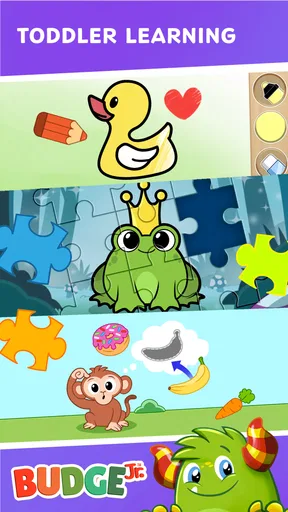
The real magic of Budge World lies in its diversity of games. From puzzles that challenge the brain to creative activities that spark the imagination, there’s something for every curious mind. The games are crafted to develop various skills like problem-solving, creativity, and even basic math and reading.
I was particularly impressed with how the app blends entertainment with education. For instance, while a game might involve helping a character solve a puzzle, it simultaneously teaches kids about shapes or numbers. It’s like slipping veggies into the spaghetti sauce – the kids are learning without even realizing it!
Characters Kids Love
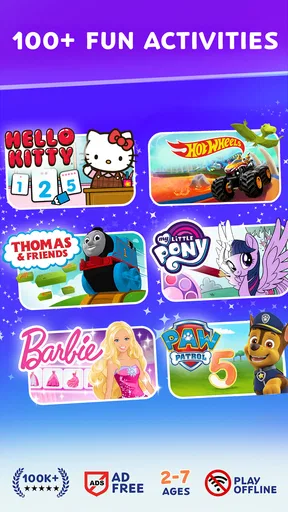
If your kids are fans of popular characters like Barbie, Thomas & Friends, or My Little Pony, they’re in for a treat. The app includes a host of familiar faces that help draw kids into the activities. This familiarity not only captures their attention but also makes the learning experience more engaging. It’s like having their favorite cartoon characters as personal tutors!
Parent-Friendly Features
One of the aspects I really appreciate is the parental control features. As a parent, you can customize the experience by setting time limits and monitoring activity. This gives you peace of mind knowing that your kids are playing within a safe and controlled environment.
Additionally, there’s no need to worry about unexpected charges or ads popping up. The app operates on a subscription basis, which means you know exactly what you’re getting into from the start. It’s a straightforward, no-nonsense setup that every parent will appreciate.
Why Budge World Stands Out
In a sea of educational apps, Budge World distinguishes itself with its unique blend of education and entertainment. The app continuously updates its content, ensuring that there’s always something new to explore. This keeps the experience fresh and exciting, so kids are less likely to get bored and move on to the next app.
Moreover, the app is designed with accessibility in mind, making it intuitive for kids to navigate without much help. The vibrant graphics and lively animations add to its appeal, creating an inviting environment for young users.
Final Thoughts
At the end of the day, Budge World: Learning & Fun offers a delightful combination of learning and play. It’s an app that doesn’t just keep kids occupied but also contributes to their development in meaningful ways. Whether your child is a budding mathematician or a future artist, there’s something in Budge World to nurture their interests.
If you’re on the hunt for an app that can provide hours of educational entertainment, give Budge World a try. It might just become your child’s new favorite digital playground – and a handy tool in your parenting arsenal!
Choosing it over other learning games
Compared with a single-subject practice app, this game is more of a broad activity hub than a focused course. That makes it a sensible pick when your child wants variety and responds to recognizable characters, but a less direct choice when you need a particular skill reinforced in a steady sequence. Compared with a simple puzzle app, its mix of activities may offer more ways to keep a child interested, though a child who prefers one clear task at a time might do better with a narrowly focused game or a physical puzzle.
I would also keep the goal modest: this is screen-based play with educational elements, not a replacement for drawing on paper, sorting real objects, reading together, or talking through a problem. A useful routine is to let the game spark an idea, then carry it into the room. If a child has been matching shapes, for example, you can invite them to spot similar shapes around the house. That gives the play a practical follow-through without expecting the app to do all the teaching.
Cost, age, and a sensible first try
Budge World is free to download and is rated Everyone. It has an average rating of 4.2 from around 33,000 ratings, and has passed 10 million installs. Those figures suggest that many families have tried it, but they cannot tell you whether its activities will suit your particular child; a brief, supervised first session is still the best test. The game is categorized as educational, and its current version is 2026.3.0, with Android 5.1 as the minimum operating system requirement.
There are in-app purchases, with items priced from $6.99 to $47.99. I would look carefully at the purchase options before giving a child unsupervised access, and make sure the device’s purchase controls are set the way your household needs. The free download is a low-commitment way to see whether the style appeals, but families should not assume every part of the experience is included at no cost. Budge Studios released the game on November 20, 2017, and the version number indicates that it has continued to receive updates.
One helpful way to judge value is to notice what your child actually returns to, rather than counting how long the app can hold their attention. If they choose activities with interest, talk about what they did, and are willing to put the device away when the session ends, it may be earning a useful place in your routine. If the main draw is asking for more access or purchases, or if the child becomes upset whenever play stops, I would scale back and choose an activity with a clearer natural endpoint.
Who will enjoy it most
I see Budge World working best for families with a young child who likes familiar characters, enjoys trying different activities, and benefits from an adult nearby for transitions. It can be a handy option for a rainy afternoon, a short wait, or a calm spell when you can check in and talk about what the child is doing. For a child who wants a strict lesson plan, a competitive challenge, or independent play with no supervision at all, I would look elsewhere or use it only alongside a more structured activity.
My overall view is positive but measured: the blend of characters and varied play gives children an approachable way into puzzles and creative tasks, while the purchase structure and open-ended browsing call for parental attention. I would start with a short session, see which activities genuinely hold your child’s interest, and set a clear stopping point. If that rhythm works for your family, Budge World can be an enjoyable educational game to keep in rotation rather than the only learning tool on the device.
Verdict
Strengths of Budge World: Learning & Fun
- Engaging educational games for kids.
- Variety of topics keeps learning fresh.
- Colorful graphics attract young users.
- Frequent updates with new content.
- Parental controls ensure safe usage.
Limitations of Budge World: Learning & Fun
- Requires internet for most features.
- In-app purchases can be pricey.
- Limited offline access to games.
- Some content may be repetitive.
- Ads can interrupt game sessions.
Other Releases by Budge Studios
View All
Hello Kitty Nail Salon
Casual4.5

Barbie Dreamhouse Adventures
Simulation4.2

Thomas & Friends: Go Go Thomas
Racing4.4

Hot Wheels Unlimited
Racing4.5
Similar Picks in This Category
View All
Little Panda Policeman
BabyBus4.0

Monster Trucks Game for Kids 2
Raz Games4.1

Little Panda's Chinese Recipes
BabyBus4.4

Little Panda's Restaurant
BabyBus4.4

Little Panda's Ice Cream Games
BabyBus4.3

Baby Panda Care
BabyBus3.8
Frequently Asked Questions
What is Budge World: Learning & Fun?
Budge World: Learning & Fun is a children’s app designed to combine education with entertainment. It offers a variety of interactive games and activities that promote learning in subjects like math, language, and science. The app is crafted to engage children while encouraging skill development in a colorful and safe digital environment.
Is Budge World safe for children to use?
Yes, Budge World prioritizes safety for its young users. The app is designed with a child-friendly interface, and all content is age-appropriate. It also has parental controls that allow parents to manage their child’s activity and screen time, ensuring a secure and controlled experience for kids.
What age group is Budge World suitable for?
Budge World is primarily targeted at children aged 3 to 8 years old. The app’s content and activities are crafted to cater to this age group, offering educational games that match their developmental stages. It provides a fun and engaging way for young learners to explore new concepts and skills.
Are there in-app purchases in Budge World?
Yes, Budge World offers in-app purchases. While the app provides free content, additional games, features, and customizations may require purchase. Parents can set restrictions on in-app purchases to prevent unauthorized transactions. It's advisable to review these settings before children use the app.
Is Budge World available on both Android and iOS?
Absolutely, Budge World is available for download on both Android and iOS platforms. Users can easily find and install the app from the Google Play Store or Apple App Store. Ensure your device meets the app’s system requirements for a smooth and enjoyable experience.
Play our best games!


